Offline Shops
Offline Shops
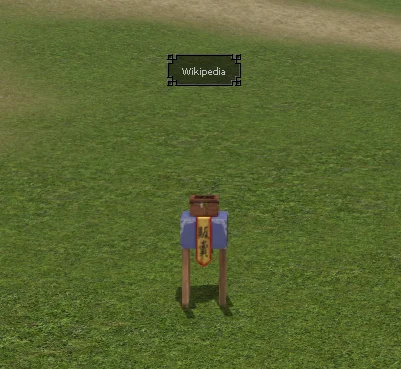
Shop Basics
There are three buttons visible in the inventory, one of which is the shop window. At the beginning, we will receive information that we do not have an open shop.
Requirements
To open a shop, you must use a Bundle, which is available from the General Store Saleswoman in M1 or M2. However, to use the Bundle, you must be level 15 and have 800 monsters killed.
Unlocking Slots
Some of the locked slots can be unlocked using a Wooden Key  and some using an active VIP package.
Ways to Set Up a Shop
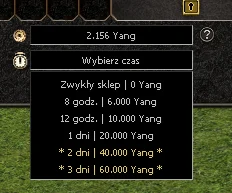
A shop can be set up in two ways:
- Standard: Placed next to our character in a bundle. During this time, the character is inactive and serves as a shop.
- Offline: Independent of login status. The character can be logged out or engage in other activities in the game. However, this service is paid depending on the setup time.
Shop Management
After selling an item, you will receive information about which item was sold. Earned Yang, minus the commission cost, can be withdrawn by clicking the button located in the inventory.
The shop also has options for remembering the layout, e.g., in case another player kills us.
Finding the Shop
If we are unable to find our shop, the "Find Shop" option will help us, highlighting the point on the map where it was opened.
Re-opening the Shop
After closing the shop, it is possible to reopen it with the same item layout as before.